
In a report released last year, Google spells out the obvious: we are living in a multi-screen world and “going mobile has become a business imperative.”
That means how organizations interact with their membership needs to evolve to keep pace with how members are using the devices available to them.
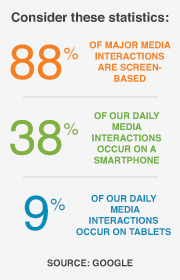
Consider these statistics:
- 88% of major media interactions are screen-based (Google)
- 38% of our daily media interactions occur on a smartphone (Google)
- 9% of our daily media interactions occur on tablets (Google)
- Social networking is one of the top activities performed between devices with 72% of Google survey respondents confirming using dual screens for social media purposes (Google)
So what does all of this mean for an association’s member management and overall engagement plan?
It necessitates that we need to be in the dominant space where our members are and be accessible to them in these new mobile-centric platforms.
One way to ensure we’re reaching our community memberships where they are – on their smartphones, tablets, laptops – is by implementing MemberCentric, Higher Logic’s Connected Community mobile app, that’s designed to connect and collaborate with peers, participate in communities and access the latest news from your association no matter where they are.
To better understand how the mobile app works, check out this new member email from the Society of Manufacturing and Engineering’s Roger Castillo, which spells out instructions to members on how to download the mobile app.
Another great example on an email marketing campaign teaching members on how to download the app can be read here, by Jason Yusko from the International Franchise Association.
And, of course, you can find instructional video demos and fliers in HUG’s MemberCentric resource library here. As a HUG member, you can test drive the mobile app, by searching “MemberCentric” in the App Store or Google Play and then selecting “HUG” on your iPhone, iPad, or Android. Simply login with your HUG credentials and begin using HUG through your mobile app. For a personalized demonstration, contact Carole Zdobysz, our Business Development Manager.